Getting Started with T4 Bot
Set up takes about 5–10 minutes.
0 Invite the Bot
First, invite T4 to your server. You'll need the Manage Server permission.
Invite T4 Bot1 Create Your First Badge
Type /create in any channel. Select the [image] parameter and upload your badge image.
A modal will appear with these fields:
Badge Name
The name shown in the member's badges and server badge list.
Nickname Emoji (or Text)
The emoji or text that appears in the member's nickname. Discord only allows Unicode emojis (your OS emojis), not custom server emojis.
Description
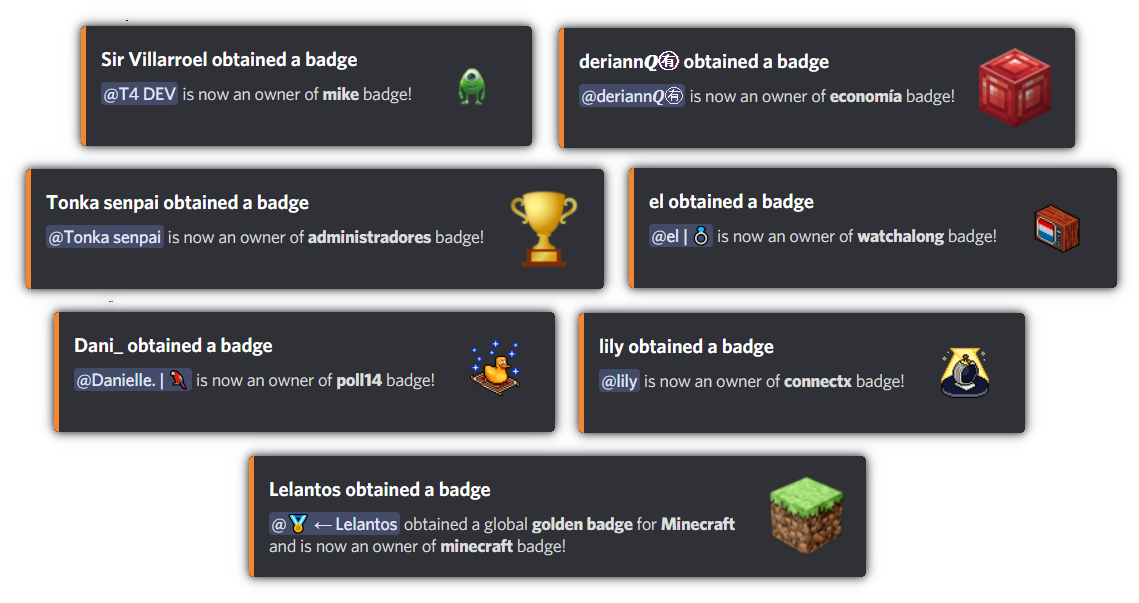
Shows in badge announcements in the chosen channel.
Ping Message
Notification sent to recipients. Default: "Hey, {member_mention}! You received a new badge!"
2 Give Badges to Members or Roles
To give a badge to individual members:
/give [badge] [member_1] <member_2> ... <member_9> To give a badge to everyone with a certain role:
/give-to-role [badge] [role] To give a badge to all current members of a role (without linking it to the role):
/give-to-role-members [badge] [role] The bot will ask you to confirm and show which members will be affected. Press the 👍 button to confirm.
3 Remove Badges
Use /remove [badge] [member_1] <member_2> ... <member_9> for individuals, or /remove-from-role [badge] [role] for roles. Same confirmation flow as giving.
4 Badge Icons in Nicknames
Icons appear in nicknames automatically if you set the Nickname Emoji field when creating the badge and assigned it using /give or /give-to-role.
To edit an existing badge's emoji later, use /edit [badge].
For a role-based walkthrough, see the free role icons guide.
5 Customize Nickname Format
Control how emojis appear in nicknames:
/set-nick-format [format] Set the maximum number of emojis shown:
/set-nick-max [max_emojies] Both commands will ask you to confirm with 👍.
6 Delete a Badge
Use /server-remove-badge to permanently delete a badge from the server.
Warning: This removes the badge from every member who owns it. This action is irreversible.
Running into issues?
See the Troubleshooting guide for fixes to common problems — role icons not showing, "the application did not respond", unexpected golden badges, and more.